
A few days ago, I was tethering my MacBook to my Android phone on Bouygues (a French carrier), and ran into a bizarre issue: most websites loaded just fine, but WeChat couldn’t reach any of its servers, and the Azure login portal kept spinning forever. The phone itself was browsing happily, the Mac had a full-bar WiFi signal — yet these two “victims” were as good as blacklisted.
This post documents the whole debugging journey, from the Mac all the way down to the Android APN database, and the 464XLAT-based workaround that finally saved the day. I hope it helps anyone hitting the same problem.
The Symptoms
- The Mac was connected to the phone hotspot with a strong signal; ordinary websites (Baidu, Google, etc.) opened normally
- WeChat: endless spinner, messages never sent
- Azure login portal (login.microsoftonline.com): never finished loading
My first instinct was to blame the Mac’s own network configuration. So I checked the usual suspects — WiFi status, DNS, proxy settings:
1 | WiFi connected, excellent signal |
All clean. So where was the problem?
The Decisive Test: IPv4 vs IPv6
Instead of guessing, let’s split the two protocol families apart and test them separately. Using curl with -4 and -6 to force each address family:
| Target | Forced IPv4 | Forced IPv6 |
|---|---|---|
| login.microsoftonline.com (Azure login) | ❌ timeout after 12s | ✅ 302, 0.24s |
| api.weixin.qq.com (WeChat API) | ❌ timeout after 12s | ✅ 404, 1.0s |
| www.baidu.com (control group) | ❌ timeout after 12s | ✅ 200, 0.9s |
1 | curl -4 -sS -o /dev/null -w "%{http_code} %{time_total}s\n" --max-time 12 https://login.microsoftonline.com |
Crystal clear: the hotspot’s IPv4 was completely dead; only IPv6 could get out.
A closer look at the resolved addresses revealed another detail: both api.weixin.qq.com and www.baidu.com resolved to addresses starting with 64:ff9b:: — the well-known NAT64 prefix from RFC 6052. In other words, this hotspot’s uplink was an IPv6-only mobile network with NAT64/DNS64.
This perfectly explains why “only some apps broke”: the macOS system resolver receives DNS64-synthesized AAAA records, so browsers and other well-behaved apps that follow getaddrinfo and prefer IPv6 work just fine. But WeChat’s networking stack does its own DNS resolution, grabs A records, and connects directly to bare IPv4 addresses for its long-link servers; the Azure login flow also has IPv4-only endpoints. All of those connections vanished into a black hole.
Into the Phone: Debugging with adb
At this point there was a contradiction: the phone itself could browse normally, so the carrier clearly had assigned it an IPv4 address (a CGNAT one, presumably). Why did IPv4 die for tethered clients then? Time to look inside the phone with adb.
1 | The carrier-assigned IPv4 lives here (CGNAT range) |
The uplink did have IPv4. But then ip rule revealed a highly suspicious policy routing rule:
1 | adb shell ip rule show |
All traffic entering through the hotspot interface wlan2 was being forced into routing table 1016. And the IPv4 half of that table was empty:
1 | adb shell ip route show table 1016 |
Only an IPv6 default route, pointing at rmnet_data1. IPv4 packets from tethered clients found no route in this table and fell through to the catch-all rule 32000: from all unreachable — the entire IPv4 address family silently disappeared.
Now let’s look at the three mobile bearers the phone had up simultaneously — dumpsys connectivity tells the whole story:
| Network | Interface | Type | IP Capability |
|---|---|---|---|
| 131 (default) | rmnet_data3 | INTERNET (APN: mmsbouygtel.com) | IPv4 only (10.89.139.16) |
| 132 | rmnet_data2 | IMS (VoLTE) | IPv6 only |
| 133 | rmnet_data1 | DUN&XCAP (hotspot-dedicated) | IPv6 only |
1 | adb shell dumpsys tethering | grep upstream |
Case closed: when the hotspot is on, Android forces the DUN bearer to be the upstream, and that DUN bearer only ever dialed up with IPv6. The phone’s own traffic rode the default network 131 (which had IPv4), so the phone itself worked fine; tethered clients were pinned by policy routing to the v6-only bearer, and their IPv4 was dead on arrival.
What Are DUN and XCAP?
Time to explain these two APN type flags:
- DUN (Dial-Up Networking): an APN type dedicated to tethering/hotspot traffic. Many carriers require shared traffic to ride a separate bearer for billing and throttling purposes. When you enable the hotspot, Android doesn’t let shared traffic piggyback on the phone’s own internet bearer — it dials a separate one using the DUN-typed APN.
- XCAP: XML Configuration Access Protocol, used by VoLTE/IMS to manage supplementary services like call forwarding. Irrelevant to this problem — it just happens to be bundled on the same bearer.
In the APN database, these two records were the key:
1 | adb shell content query --uri content://telephony/carriers \ |
Attempting to Change the APN Protocol: Failed
The obvious next idea: change the DUN entry’s protocol to IPV4V6 (or IP), right? After updating it with content update, something surprising happened — the bearer failed to dial up entirely, taking the previously working IPv6 down with it. Changing it to plain IP (IPv4-only) had the same result.
After restoring the protocol to IPV6 and toggling the hotspot, everything went back to the original state (IPv6 working, IPv4 dead).
Conclusion: Bouygues simply does not provide IPv4 on the DUN bearer, and requesting dual-stack or IPv4 causes the dial-up to fail outright. This is a carrier-side policy (in AOSP’s preset APN database, the Bouygues DUN entry is marked IPV6 in the first place) — there’s no way around it from phone settings.
The Workaround: macOS CLAT (464XLAT)
Since the hotspot’s uplink would only ever have IPv6, let’s have the Mac translate IPv4 traffic into IPv6 itself. This is exactly the scenario 464XLAT (RFC 6877) was designed for: a client-side CLAT statelessly encapsulates IPv4 connections into IPv6, which then exit through the carrier’s NAT64. Modern macOS enables CLAT automatically when it detects a network without IPv4.
One command turns off IPv4 configuration on the Wi-Fi service:
1 | networksetup -setv4off "Wi-Fi" |
A few seconds later, a CLAT-dedicated address appeared on en0 (192.0.0.0/24 is the prefix RFC 7335 reserves for CLAT):
1 | ifconfig en0 | grep "inet " |
In System Settings, the Wi-Fi network’s TCP/IP pane simply shows Configure IPv4: Off — no IPv4 address at all, only the IPv6 configuration:
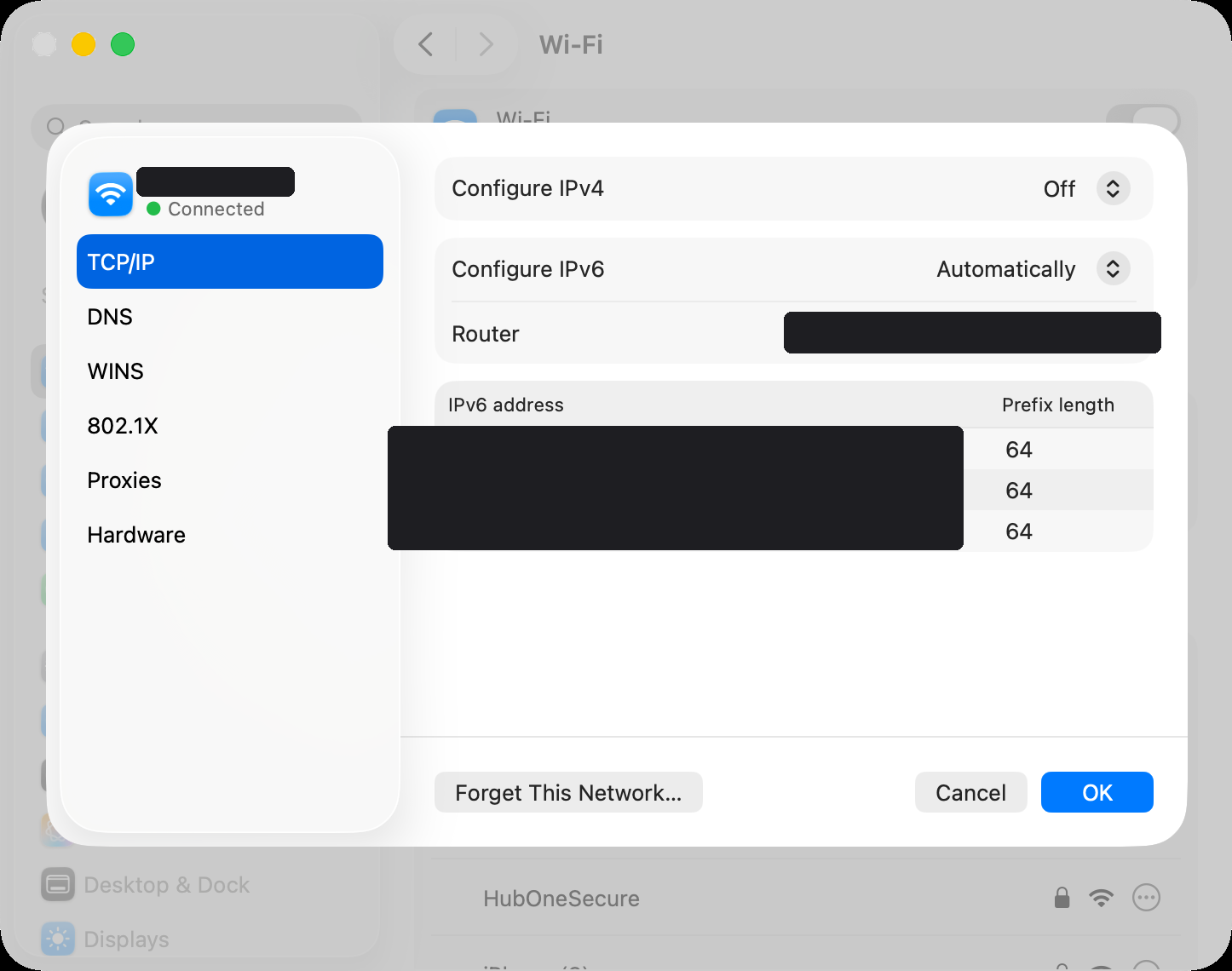
Rerunning the earlier tests, everything passed:
| Target | Forced IPv4 (after CLAT) |
|---|---|
| login.microsoftonline.com | ✅ 302, 0.22s |
| api.weixin.qq.com | ✅ handshake OK |
| www.baidu.com | ✅ 200, 0.97s |
And one final test simulating WeChat’s real behavior — connecting to a bare IPv4 address from an A record on its long-link ports (WeChat’s client doesn’t use the system DNS; it hard-connects to ports 443/8080):
1 | dig +short A long.weixin.qq.com | head -1 |
WeChat and the Azure login portal came back to life immediately.
Caveats
networksetup -setv4off applies to the entire Wi-Fi service, globally. When you move to a normal network (home, office, an ordinary hotspot), remember to restore it — otherwise you may fail to get an IPv4 address:
1 | Restore DHCP when back on a normal network |
Also, if the CLAT approach ever misbehaves, there’s a fallback: point Tailscale at an exit node and let traffic tunnel out — equivalent in effect.
Summary
Looking back, this problem had three layers, each requiring different tools to see clearly:
- Symptom layer: “some apps broken” ≠ “network down”. Testing protocol families separately with
curl -4/curl -6is the fastest way to localize this class of problem — a single comparison narrowed everything down to one address family. - System layer: for hotspot issues, don’t stop at the phone’s settings UI.
ip rule, routing tables, anddumpsys tetheringover adb lay the upstream selection completely bare — in this case, tethered traffic was pinned byfrom all iif wlan2 lookup 1016onto a v6-only bearer, where IPv4 packets entered an empty routing table and silently vanished. - Carrier layer: Bouygues configures the hotspot DUN bearer as IPv6-only, and requesting IPv4 or dual-stack fails the dial-up outright. Users cannot bypass this policy — the only option is to fix it client-side.
And 464XLAT is precisely the technology designed for “IPv6-only access networks”: the phone hotspot provides IPv6 + NAT64, the client (the Mac) provides CLAT, and together they keep IPv4-only apps alive seamlessly. As IPv6-only networks become increasingly common — especially on mobile — expect more of these “connected, but some apps don’t work” situations. Next time it happens, consider whether it’s the same pitfall.
References: